Free downloads software, games and other files free for you

Showing posts with label Bisnis Online. Show all posts
Paypal is one of the most popular online payment systems in the industry. One of its great advantages is that it is free to open an account and it is being used my millions of online businessmen and internet marketers worldwide. Hence, having an account with PayPal will greatly bring your online business towards better chances of having more clients who prefer to be paid online through PayPal.

In order to open an account, the following are the step-by-step process on how to open and set-up PayPal accont:
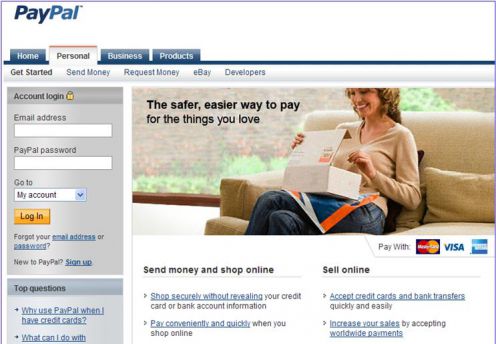
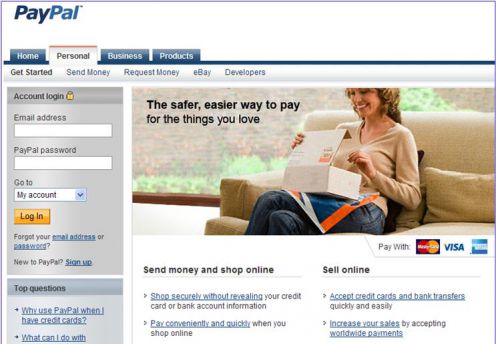
  1. Go to PayPal official website:    https://www.paypal.com/
  2. Click on the Sign-up link just below the yellow Log in button

3. Choose your country and desired language

4. If you are involved in online business, then I highly suggest that you open a Premiere or Business account. The personal account is only good for personal use wherein all you do is buy online. You can not receive payment under this account. Hence, choose the Premiere account in order to buy and sell online. Click on the Get Started button of the Premiere account

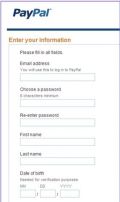
5. Fill in the required personal information

6. Click on the Agree and Create Account button
Once your registration process with PayPal is successful, you need to activate your account by going to your email address that you used to sign-up and look for the email sent by Paypal which contains your activation link. Click on the link to activate your account; and you can start receiving payment from customers using your newly opened PayPal account.
However, you are still required to link your Paypal account with your bank and credit card account. This will allow you to withdraw your funds from your Paypal account to your bank account

On Labels: , | 0 Comment

Disclaimer: As of writing, I have made this tutorial for illustration purposes only. The images below may not be the same with AlertPay’s actual site. AlertPay reserves the right to amend, update or change the site’s layout at any time.
1. Be sure to have your own e-mail account that you can use for your PayPal account only. Even if you have an e-mail address that you use to communicate with friends and family, it is better to have a separate one that you can use just for your PayPal account.

2. Sign up here
.

3. Start creating your AlertPay account by choosing your country and type of AlertPay account.

For the purpose of illustration, I will choose a Personal Starter account.

PERSONAL Starter: It is the perfect account to send and receive money from friends, family and occasionally payments. Personal Starter accounts do not have selling tools, but do have easy funding and withdrawal methods. You can have a maximum of 2 emails associated with your account. It has a monthly receiving limit of $400 USD and a cumulative yearly receiving limit of $2000 USD after which your account will automatically upgrade itself to a Personal Pro account.

PERSONAL PRO Account: There are no receiving limits. You will have access to features like: Mass Pay (send out payments to groups of people), Integration tools and website payment methods (Buy Now Buttons, Subscriptions and Recurring Payments Instant Payment Notification). Receiving fees is 2.5% + $0.25 per transaction. If you are an active seller or you an avid online shopper, choose the AlertPay Personal Pro account today!

BUSINESS Account: It is tailored to meet all the needs of your online business. If you are managing a business under your business name, this is the account for you. You will have access to numerous online business tools to help your business grow online and you will have unlimited emails associated with your account. This account has low transaction fees of 2.5% + 0.25 per transaction (additional fees may be applied for specific industries).


4. From there, you will go to a page that asks for your basic personal information -- your name, address, telephone number and e-mail address. You will also be required to enter security questions in case you lose your password, and you have to enter a randomly generated series of letters and numbers, which help prevent fraud. Once you confirm your account, a sign-up confirmation will be sent to you via e-mail.


5. Open your e-mail and your will see confirmation e-mail from AlertPay. Click on the link to confirm your e-mail address.

6. Congratulations! You have confirmed your AlertPay account. Login and you will be directed to your AlertPay account page. You will be asked for a secondary password, this is for your transactions.

7. Familiarize yourself with your new AlertPay account interface. Then verify your account.

Account verification identifies who you are as a KYC (Know your customer) policy. It is important for the AlertPay network that members identify themselves by submitting documentation to protect their members against fraud. At any time, AlertPay can ask you to become verified.

Verification of an AlertPay account is not necessary in order to, add or transfer funds. The verification increases the security of AlertPay’s network to be able to verify and authenticate users. Although not necessary, verification is highly recommended. In some cases as well when various transactions involve substantial amounts, AlertPay’s security center may ask some members to verify their AlertPay account in order to proceed with their transactions.

Click here on how to get verified.

8. You can now use this AlertPay account e-mail address when signing up with your online businesses to accept payments. Remember to read the User Agreements/Terms and Conditions or the Help Center if you have any questions.


I wish you good luck and great earnings!

AlertPay is the easiest way to receive money online.
You don’t have an account yet? Click here to sign up.


On Labels: , | 0 Comment

Bagi agan - agan yang suka browsing , gabung MyBrowserCash™ aja Dpt $ Gratis


Bagaimana Cara Kerja MyBrowserCash ™?
Ini sederhana, dari waktu ke waktu software akan menampilkan iklan di situs yang agan kunjungi. Jangan khawatir iklan ga bakal menggangu browsing agan.

Ada 2 jenis iklan yang ditampilkan
1. Iklan PopUp
Spoiler:
2. Iklan Full Screen (jarang muncul)
Spoiler:
Kalo tiba - tiba agan ga mau lihat iklan , bisa lgs di disable dengan mengklik "Nonaktifkan MyBrowserCash" dan set ke off iklan. Dan jangan khawatir Agan masih akan mendapatkan uang tanpa melihat iklan jika agan punya referral

Kapan POnya?
20$ sih gan tapi sambil lalu aj Gratis lagian hahaha bisa lewat paypai, alertpay ^^

Berapa Banyak Uang Yang Bisa Saya Dapatkan ?
Jujur aja sih gan, Agan ga akan bisa kaya mendadak dalam semalam dengan ini secara online. Namun Agan bisa mendapatkan penghasilan tambahan tanpa kerja ekstra, melakukan apa yang sudah agan lakukan sementara MyBrowserCash ™ perangkat lunak diinstal! Browsing? Foruman? dibayar kok

Di sisi lain, ketika Agan mengajak orang untuk MyBrowserCash ™, Agan akan membuat lebih banyak uang karena setiap kali mereka mendapatkan uang Anda dibayar bagian dari pendapatan iklan (hingga 35%)!-->90% kalo Gold member

Tergantung seberapa sering agan menelusuri web dan berapa banyak referral yang agan miliki akan menentukan berapa banyak dapat dihasilkan. Tidak ada batasan untuk jumlah yang agan dapat membuat dengan MyBrowserCash ™!

Bayangkan setiap kali Anda mendapat referral penghasilan Anda dari MyBrowserCash dua kali lipat! Hal ini dimungkinkan karena Berbagi Kekayaan Sistem Rujukan ™!

Apa ini "Share The Wealth" di Referral system?

Ok jadi "Share The Wealth" adalah agan dapat persentase dari pendapatan iklan orang yang agan referensikan buat. Nah, untuk menempatkan icing pada kue, kami telah menciptakan sebuah "Share Kekayaan" sistem rujukan. Setiap kali seseorang register untuk MyBrowserCash ™ dan tidak memiliki refferal id yang terkait , Member gold akan menjadi refferal itu secara acak !

Ini berarti Anggota Gold bisa mendapatkan banyak uang melakukan apa-apa!

Di atas itu cara mudah bagi Anda untuk mendapatkan referal tapi bayar member gold....

Bagi kita2 yang mau Gratis????

Sep saya sama seperti agan. Langkahnya kita kumpulin duid sambil lalu aja Gan, Kan duid disana bertambah tuh. Nah klo dah 2 dollar kita beli aj referral dari sistemnya! <--- ini nih fitur yang paling gw suka

Semakin cepat agan daftar, semakin cepat agan mulai dapetin uang. Daftarkan akun GRATIS Anda, menginstal perangkat lunak dan memulai membuat uang sekarang!

Bagi Yang Merasa terbantu dengan ulasan ane daftar lewat ane ya

Tips & Triks MyBrowserCash
Setelah Daftar masuk ke Account Settings di websitenya
trus klik Ad frequency menjadi high buat maksimalisasi pendapatan

Add On Untuk Firefox auto reload
Cara mendaftar di MyBrowserCash™
1. Daftar dengan klik link didaftar sponsor di bawah / klik bannernya jg bisa
2. Klik “Register & Install MyBrowserCash Now!”
Spoiler:
3. Setelah install, restrat browser
4. Anda sudah mulai mengumpulkan earning
5. Untuk keterangan dan langkah-langkah selanjutnya. Silahkan baca di webnya.

On Labels: , | 0 Comment